Transparency: links marked (*) are affiliate links — if you buy through them we may earn a commission at no extra cost to you. It doesn't change our recommendations.
Last updated: May 2026 · Product prices and ASINs last verified on 2026-05-22. Related guide: Build your own 2000W DIY solar setup.
When my utility moved me onto California’s Net Billing Tariff — NEM 3.0, in effect for new solar since 2023 — my solar export credit dropped from around $0.18/kWh to roughly $0.05/kWh. Same panels, same sun, a fraction of the credit. Meanwhile my Time-of-Use peak window runs 4–9 PM, with the rate climbing toward $0.55–0.60/kWh in summer. I was effectively exporting my midday solar for nickels and buying it back at peak in the evening. The math pushed me to stop chasing the export rate and instead shave my own peak bill with a battery I charge cheaply.
To be clear: I’m not building a portable power station for camping trips. I’m building a stationary plug-and-play home backup setup that does two specific jobs: ride out PSPS outages without my fridge thawing (how much battery you actually need), and time-shift my evening consumption to avoid the $0.45/kWh peak. No electrician, no PG&E interconnection paperwork, no permit. Just a heavy box plugged into an outlet.
⚠️ Safety disclaimer: This article shares my personal experience with a plug-and-play home backup setup. Descriptions may be incomplete or inaccurate, and products and utility rates change frequently. You build at your own risk. Working with 120V AC outputs and battery chemistry requires basic electrical knowledge. If you’re not confident with backup circuits, GFCI installation, or panel interconnects, consult a licensed electrician. Never run a portable battery output through an extension cord into your main panel — that’s unsafe interconnection. For any setup tied to your home’s main panel, follow NEC code and local permit requirements.
Quick decision: Portable backup or fixed Powerwall?
| Your situation | Better choice |
|---|
| You rent and can’t install fixed equipment | Portable plug-and-play battery |
| You want PSPS outage backup without a permit | Plug-and-play (Anker / EcoFlow) |
| You’re in California / Nevada / Arizona ToU territory | Plug-and-play + smart-plug scheduler |
| You need EV charging + whole-home AC + dryer backup | Fixed Tesla Powerwall (and an electrician) |
| You have rooftop solar pre-NEM 3.0 and grandfathered | Stay with grid export, no battery needed |
| You live in an apartment | Goal Zero Yeti 1500 + Tapo smart plug (or a Balco balcony unit if your state allows) |
| You want fastest deployment (afternoon, not 6 months) | Plug-and-play |
| You want a state storage rebate (e.g. CA SGIP) | Fixed install (federal §25D credit expired end of 2025) |
Most California / Nevada / Arizona residents who don’t already have grandfathered solar end up in the plug-and-play camp. The economics are simply that good once peak rates pass $0.40/kWh.
My setup at a glance
Goal: 4+ kWh of battery storage to ride out 6 hours of peak ($0.45/kWh window) and stay running during PSPS outages. Setup compared to alternatives on Amazon.com (May 2026):
|
Feature
| Anker SOLIX F3800 ★ Recommended | EcoFlow DELTA Pro Ultra | EcoFlow DELTA Pro Ultra X (2026) | Goal Zero Yeti 1500 (6th Gen) |
| Price | ~$1,799 | $4,099 | $7,999 | $1,500 |
| Capacity | 3.84 kWh | 6.14 kWh (modular to 90 kWh) | 12.3 kWh (to 180 kWh) | 1.5 kWh |
| Continuous output | 6,000W (9,000W surge) | 7,200W | 12,000W (36,000W with 3 units) | 2,000W |
| 120V/240V | 120V + 240V split-phase | 120/240V | 120/240V | 120V |
| Mobility | Portable (132 lb, wheels) | Wheels (115 lb) | Modular (inverter + battery units) | Portable (45 lb) |
| App control | Anker app | EcoFlow app | EcoFlow app + Smart Home Panel | Yeti app |
| Best for | Peak shaving + outage | Whole-home backup | Premium whole-home | Apartment / single-room backup |
For most people, Anker SOLIX F3800 is the sweet spot. It’s roughly half the price of the DELTA Pro Ultra, has split-phase 120/240V output (rare at this price), and 3.84 kWh keeps a fridge + router + laptop running for 18+ hours. Daisy-chain a second F3800 if you want 7.68 kWh of total backup.
Anker SOLIX F3800 or EcoFlow DELTA Pro Ultra — which wins for PSPS + ToU?
Short answer: For multi-day PSPS coverage and high solar input, EcoFlow DELTA Pro Ultra (6 kWh, 7.2 kW output, 5.6 kW solar input) wins on raw scaling. For value-density and a kit you can still move yourself, Anker SOLIX F3800 (3.84 kWh, 6 kW output, 2.4 kW solar) gives the best $/Wh — and daisy-chains to a second unit when one day’s storage isn’t enough.
This is the central decision. Both are LiFePO4. Both offer fast UPS switchover (around 20–30 ms on their AC outlets, depending on model and mode). Both support smart scheduling for ToU peak-shaving. Key differences:
- Anker SOLIX F3800 (~$1,800): Best value-per-kWh. Built-in 120V + 240V split-phase output (you can run an electric dryer if needed). Anker’s app handles ToU and self-consumption scheduling. 5-year warranty. The pick I’d buy today. If solar recharging is central to your plan, the newer F3800 Plus keeps the same 3.84 kWh / 6,000W but raises solar input to 3,200W (dual MPPT) — worth the step up.
- EcoFlow DELTA Pro Ultra ($4,099): More capacity, more modular. Each base unit is 6.14 kWh, expand with up to 5 extra battery packs to reach 30+ kWh. EcoFlow Smart Home Panel ($1,499 extra) enables true whole-home automatic transfer. If you’re committing to a long-term whole-home solution, this is the more future-proof platform.
- EcoFlow DELTA Pro Ultra X (NEW 2026, $7,999): CES 2026 honor. The standard bundle is 12.3 kWh and 12 kW output (scale to 36 kW and up to 180 kWh by adding inverters and batteries) — enough to run an entire home including HVAC. Best if you have the budget and live somewhere with severe winter outages (Northeast, mountain West). Note it ships as separate inverter and battery modules, not a single carry-handle unit.
- Alternative if Anker is out of stock: Goal Zero Yeti PRO 4000 (typically Goal Zero direct site only) or BLUETTI AC500 + B300S system.
⚠️ Wiring warning — expert tip: A 6 kW continuous output unit pulls over 50 amps at 120V or 25 amps at 240V. The included AC output cords are properly sized, but never extend them through standard household extension cords. If you want hardwired pass-through to selected home circuits, get the EcoFlow Smart Home Panel or Anker’s planned MicroGrid module — both provide proper NEC-code interconnection.
Which ToU scheduler should you use for peak shaving?
Short answer: Cheapest path is a TP-Link Tapo P110 smart plug (~$15) to charge during off-peak and discharge through the battery’s pass-through during 4–9 PM peak. For multiple loads (EV charger, fridge, AC), add a Shelly Pro 3EM at the panel. For full automation, Home Assistant + a PG&E rate plugin. Skip the battery maker’s own scheduler if it locks you to one brand.
Without a scheduler, you’ll forget to discharge the battery during peak window 50% of the time. Three options:
- Built-in app scheduler (free): Both Anker and EcoFlow apps let you set “Charge from 1 AM – 5 AM, Discharge from 4 PM – 9 PM” based on your utility’s ToU plan. This is the lazy man’s setup and works fine for 80% of users.
- TP-Link Tapo energy-monitoring smart plug ($26): TP-Link Tapo smart plug. Use it to schedule charging an EcoFlow/Anker via a wall outlet. It has built-in energy monitoring so you can see exactly how many kWh you charged at off-peak rates (15A/1800W limit).
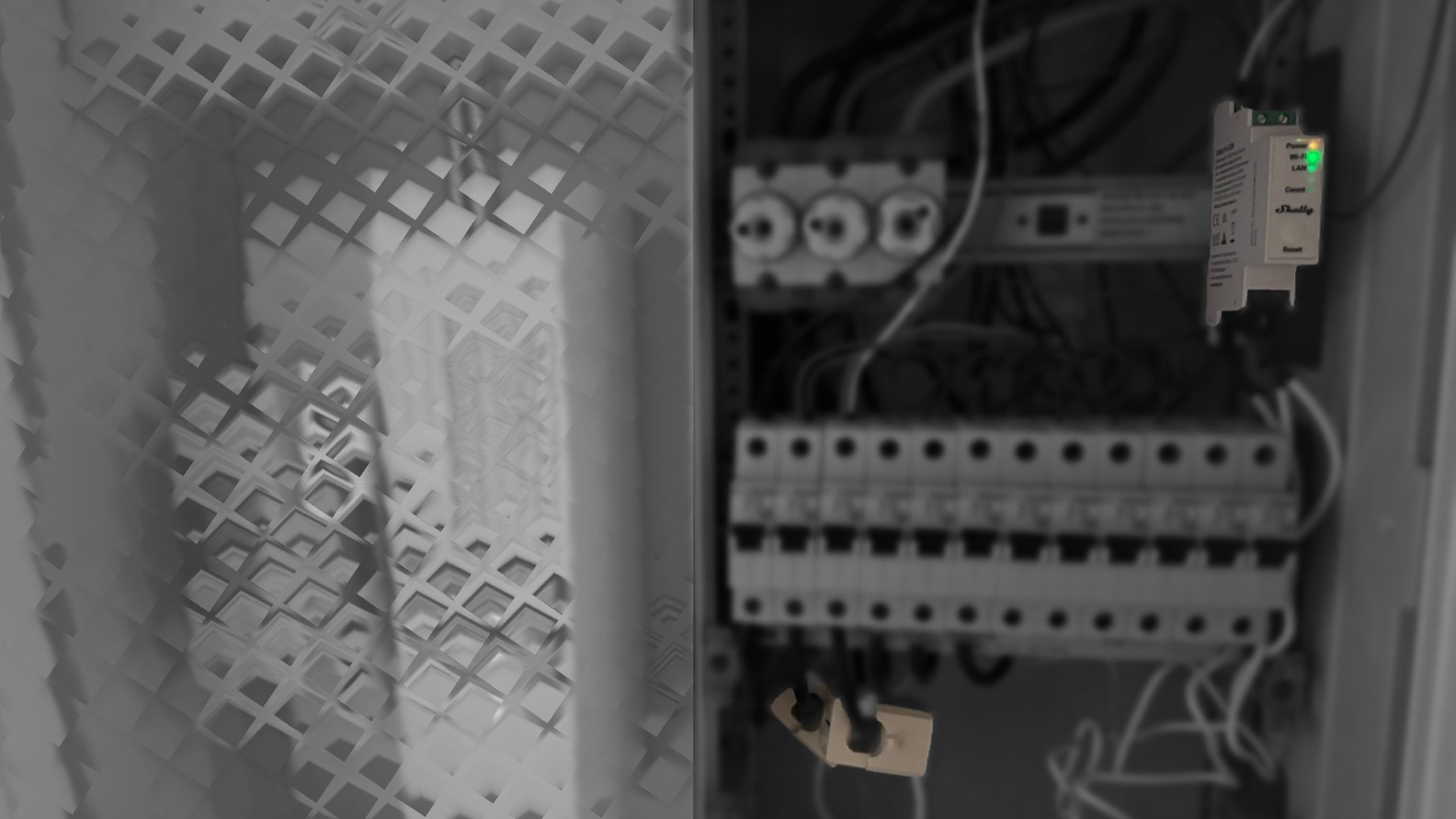
- Shelly Pro 3EM (~$150): Premium option. Installs on your main panel DIN rail (electrician recommended). Gives whole-home power monitoring and can automate complex schedules with IFTTT or Home Assistant.
Is adding solar to an F3800 worth it under NEM 3.0?
Short answer: Yes, if you can mount 400 W+ south-facing. It adds ~1.2–2 kWh on a clear day — enough to partially recharge a 3.84 kWh F3800 from “free” power instead of $0.55/kWh peak. Even with NEM 3.0 paying near zero for exports, a kWh self-consumed during 4–9 PM peak is worth ~$0.55; over ~200 sunny days that’s roughly $110/year on top of off-peak charging savings.
If you can mount or place 400W of solar (rigid panels on a south-facing window, or a foldable Renogy 400W Solar Panel Blanket, $423), it adds roughly 1.2–2 kWh on a clear day — a partial recharge of the 3.84 kWh F3800, not a full one. The real win isn’t refilling from empty; it’s that a kWh you put in cheaply — from these dedicated panels or off-peak grid — and use during the 4–9 PM peak offsets power that would otherwise cost up to ~$0.60. Add a second panel if you want a fuller daily cycle.
Note: in 45 US states, plug-in balcony solar is in a legal grey zone. The 5 states with clear plug-in solar legal frameworks (UT, MD, ME, VA, CO) allow connecting via standard 120V outlet. Elsewhere, the panel should only charge your battery via DC input — not feed the grid.
My biggest mistake — and why scheduling matters more than capacity
I bought the Anker F3800 in week 1. Plugged it in, started it manually each evening. By the end of month 1: $42 saved on electricity. Underwhelming. I’d assumed the unit’s bigger battery was the bottleneck.
Wrong. The actual bottleneck: I was forgetting to start the discharge cycle. Some evenings I came home tired, plugged my laptop into a wall outlet (grid at $0.45/kWh) instead of the battery output (free). The unit sat full and unused during peak hours.
The fix: spent an hour setting up the Anker app’s automatic schedule — charge overnight off-peak, discharge during the 4–9 PM peak — so the unit ran itself. By month 3 my savings had roughly tripled versus my manual fumbling, and they climbed further once I added a solar panel to charge it cheaply instead of pulling from the grid. The hardware was always capable; my human inconsistency was the problem.
Lesson: scheduling is not optional. Set it once on day 1 and forget.
When a fixed Powerwall installation still wins
Three cases where I’d recommend Tesla Powerwall or Enphase IQ over portable plug-and-play:
- You need to back up an electric clothes dryer or EV charger. 240V split-phase loads at 30+ amps are at the upper limit of plug-and-play units. Fixed installation gives you headroom.
- You’re chasing a state battery rebate. Note the federal angle has changed: the 30% Residential Clean Energy Credit (IRC §25D) was terminated by the One Big Beautiful Bill Act for systems with installation completed after December 31, 2025 — so a battery you buy in 2026 gets no federal residential credit, whether portable or fixed. State programs can still apply, though: California’s SGIP, for example, pays per-kWh rebates on installed storage, and those generally require a permanently installed, code-compliant system that a portable plug-in unit won’t satisfy. If a state rebate is your goal, a fixed install is still the path.
- You want fully automatic whole-home transfer without thinking. Portable units have UPS-mode for the outlets they’re plugged into; whole-home transfer requires an Automatic Transfer Switch (ATS), which is what fixed Powerwalls include by default.
For everyone else — apartment dwellers, renters, PSPS-affected suburban homes, peak-rate-allergic Bay Area — plug-and-play is the right tool.
Everything I bought, with direct Amazon.com links:
- Primary battery: Anker SOLIX F3800 — ~$1,800
- Premium alternative: EcoFlow DELTA Pro Ultra 6.14 kWh — $4,099
- Whole-home flagship (2026): EcoFlow DELTA Pro Ultra X 12.3 kWh, 12 kW — $7,999
- Apartment / single-room pick: Goal Zero Yeti 1500 (6th Gen) — ~$1,500
- Smart plug for scheduling: TP-Link Tapo energy-monitoring smart plug — $26
- 400W foldable solar (optional): Renogy 400W Portable Solar Panel Blanket — $423
Availability note: If a primary pick is sold out, the alternatives in each component section are direct drop-in replacements with similar specs. Links marked with (*) are affiliate links; no extra cost to you.
Verdict — when plug-and-play home backup pays off
After 6 months of running an Anker SOLIX F3800 + Tapo scheduler in a Bay Area home:
You’re the plug-and-play type if:
- You’re on a Time-of-Use plan with peak rates above $0.30/kWh
- You experience frequent PSPS or storm outages (3+ per year)
- You rent or can’t permit fixed electrical work
- You want a 4–6 year payback, not a decade
- You’re willing to spend an hour setting up an app schedule
Go with fixed Powerwall if:
- You need EV-charging-grade 240V loads backed up
- You want a federal tax credit — in 2026 that only works through a leased / third-party-owned install, where the installer claims the §48E commercial ITC and passes it through; the §25D credit for systems you buy outright ended after 2025. §48E has its own eligibility rules, so confirm the details with the installer and a tax professional
- You want fully automatic whole-home transfer
- You’re staying in your house for 15+ years
On peak-shaving alone my F3800 is on track to pay for itself in about four to five years; pairing it with add-on solar shortens that. Smart, scalable, and zero paperwork.
Top Picks
Best Value
Anker
Anker SOLIX F3800 — 3.84 kWh Whole-Home Backup with 120V/240V Split-Phase Output
- ✓4.2 ★ (143 reviews)
- ✓6,000W continuous AC output (9,000W surge)
- ✓120V + 240V split-phase — runs dryers and EV chargers
- ✓~20–30 ms UPS switchover (varies by outlet/mode)
- ✓Expandable to 53.8 kWh with additional batteries
- ✓LiFePO4 chemistry, 5-year warranty
Premium Modular
EcoFlow
EcoFlow DELTA Pro Ultra — 6.14 kWh Modular Home Backup, 7,200W AC Output
- ✓4.3 ★ (132 reviews)
- ✓6,144 Wh base, expandable to 90 kWh with extra batteries
- ✓120V/240V split-phase, 7,200W continuous
- ✓Native ToU scheduling for NEM 3.0 peak shaving
- ✓Compatible with EcoFlow Smart Home Panel
- ✓LiFePO4, 5-year warranty
Flagship 2026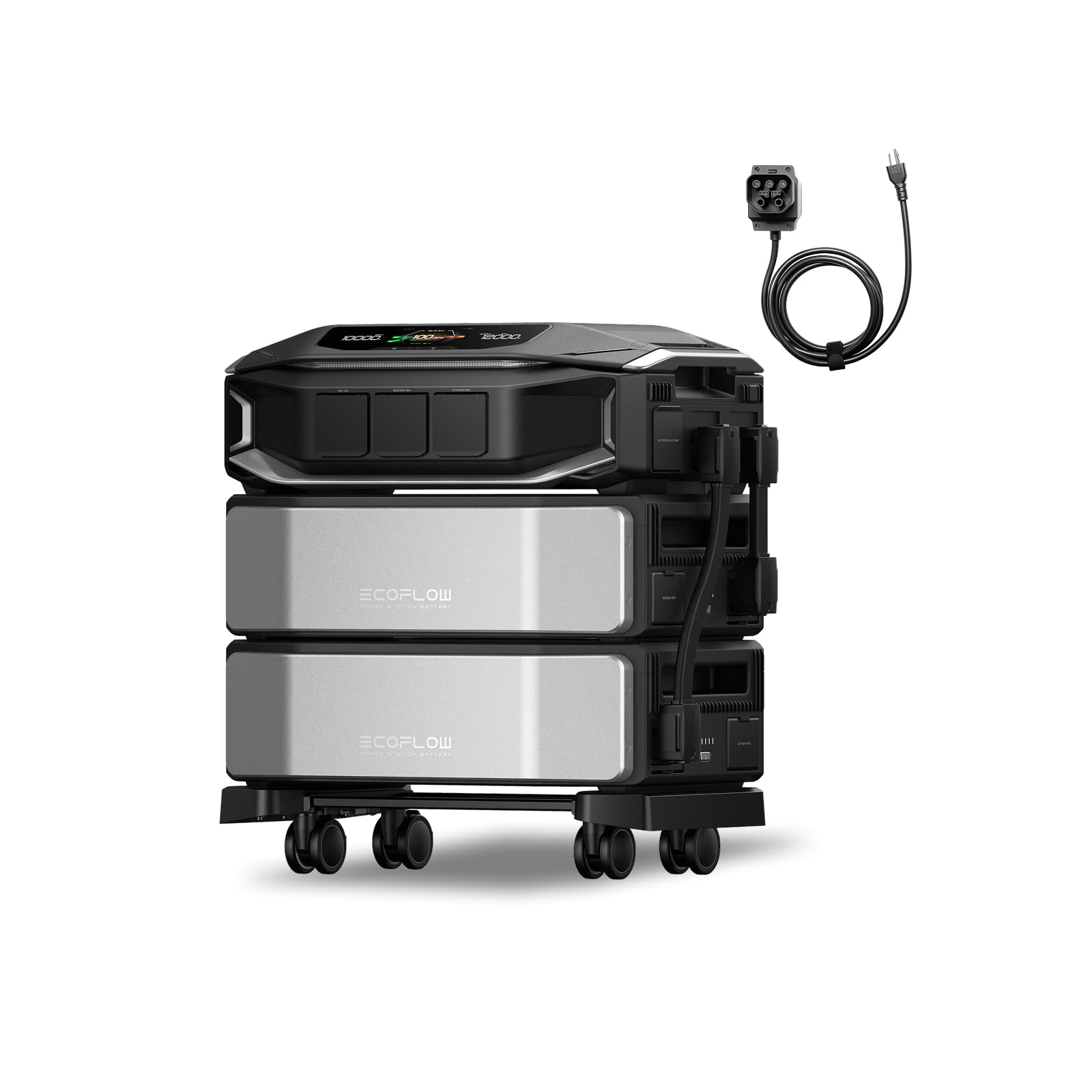
EcoFlow
EcoFlow DELTA Pro Ultra X — 12.3 kWh Whole-Home Flagship (CES 2026 Honor)
- ✓Brand new launch — CES 2026 Whole-Home Generator Honor
- ✓12,288 Wh base, expandable to 180 kWh
- ✓12,000W AC output (up to 36,000W with 3 inverters)
- ✓10kW solar input across dual high-voltage MPPTs
- ✓UPS switchover for sensitive electronics
- ✓Ships as separate inverter + battery modules
Apartment Pick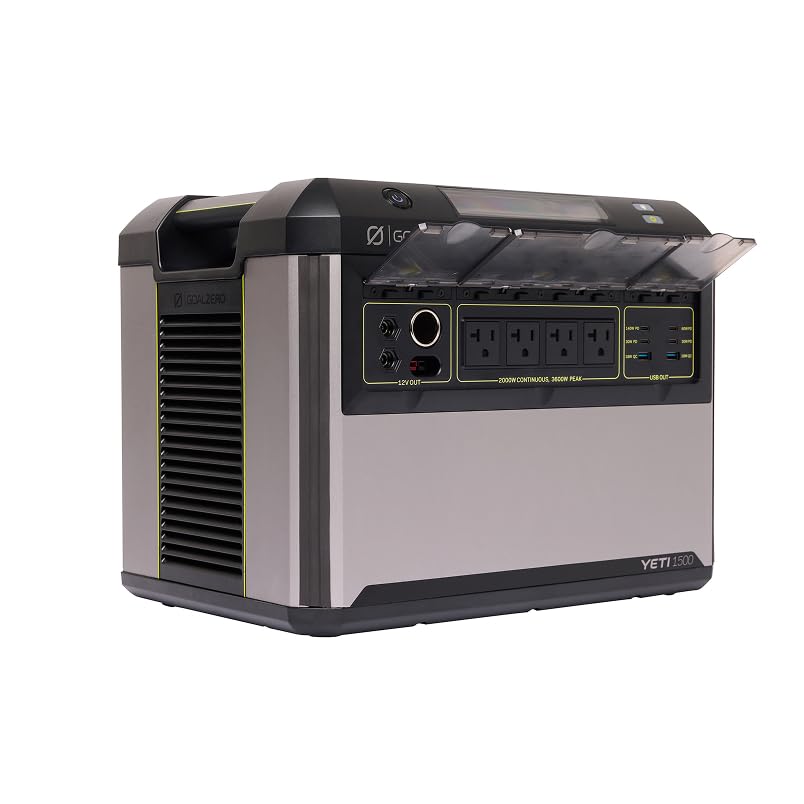
Goal Zero
Goal Zero Yeti 1500 6th Gen — 1.5 kWh Apartment / Single-Room Backup
- ✓5 ★ (7 reviews) — newest Yeti generation
- ✓1.5 kWh LiFePO4 (limited compared to bigger models)
- ✓2,000W AC output
- ✓Fast-charging USB-C PD
- ✓Best for apartments or single-room outage backup
- ✓Water-resistant, durable build
ToU Scheduler
TP-Link
TP-Link Tapo Smart Plug Mini with Energy Monitoring (WiFi)
- ✓4.5 ★ (3,257 reviews) — best-seller smart plug
- ✓Energy monitoring with kWh tracking
- ✓Schedule + timer for ToU off-peak charging (15A/1800W limit)
- ✓Alexa + Google Home compatible
- ✓Automates charging only — discharge is set in the battery's app
Solar Recharge
Renogy
Renogy 400W Portable Solar Panel Blanket — Foldable for Backup Battery Recharge
- ✓4.3 ★ (92 reviews)
- ✓400W foldable, N-Type cells, 25% efficiency
- ✓MC4 connectors compatible with all major batteries
- ✓Optional — extends backup runtime indefinitely
- ✓Best for stretching battery during multi-day outages